Descrizione
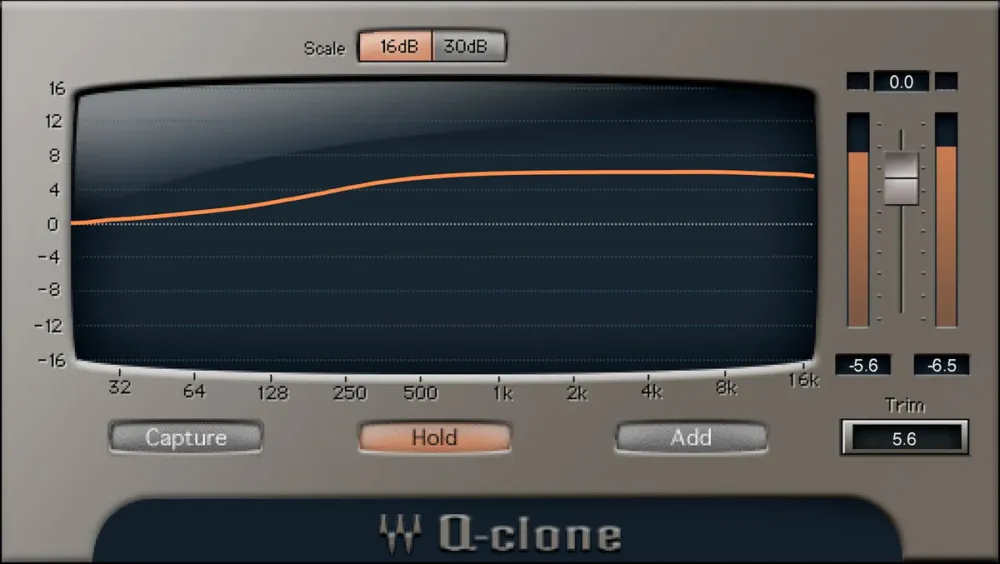
La combinazione Q-Capture/Q-Clone risolve tre limitazioni cruciali degli EQ analogici esterni: non puoi utilizzare più di un'istanza di un processore hardware, non puoi salvare preset e non puoi vedere la curva effettiva che viene applicatache spesso non corrisponde alle marcature del pannello.
Q-Capture campiona la curva di un EQ hardware. Salvala come preset di plugin Q-Clone, inseriscila in quanti più tracce desideri e visualizza la curva esatta rappresentata graficamente. È piuttosto magico.
Features
- Use hardware EQ curves on as many DAW tracks as you want
- Bring the sound of classic hardware into your DAWs projects
- Comes with a huge collection of presets from vintage hardware EQs
- Use virtual cables for cloning plugins without an audio interface
- Save analog EQ settings as a plugin preset
- Mix and match curves from different EQs
- Displays whats really happening with analog EQ curves
- Clone pluginssave curves from several series EQs as one preset
System Requirements
macOS
OS: macOS
CPU: Intel or Silicon Architecture
RAM: 8 GB
Disk: 16 GB
Additional Requirements: Minimum: 1024x768Recommended: 1280x1024 / 1600x1024USB displays are not supported as the primary display.
Windows
OS: Windows
CPU: X64 compatible Intel or AMD CPU
RAM: 8 GB
Disk: 16 GB
Additional Requirements: Minimum: 1024x768Recommended: 1280x1024 / 1600x1024